From Box to Your Own Module
Pick a box and save it as a module under your own name; if it isn't listed, create a new box.
Every box in the library is a module template. Clicking a box lets you set the module name used in your organization, a short description and a layout, and save it as a module; the box's template fields and statuses come with it. For a need that isn't listed, you define a new box for your organization. Each module's name, fields and statuses can be changed later in its settings.
What you gain with EMS
- Organization-specific boxes sit in the library with an "organization-specific" badge.
- Opened and removed modules and added boxes are written to the change log.
How it works
Pick the box, name it, adapt it.
-
1
Turn a box into a module
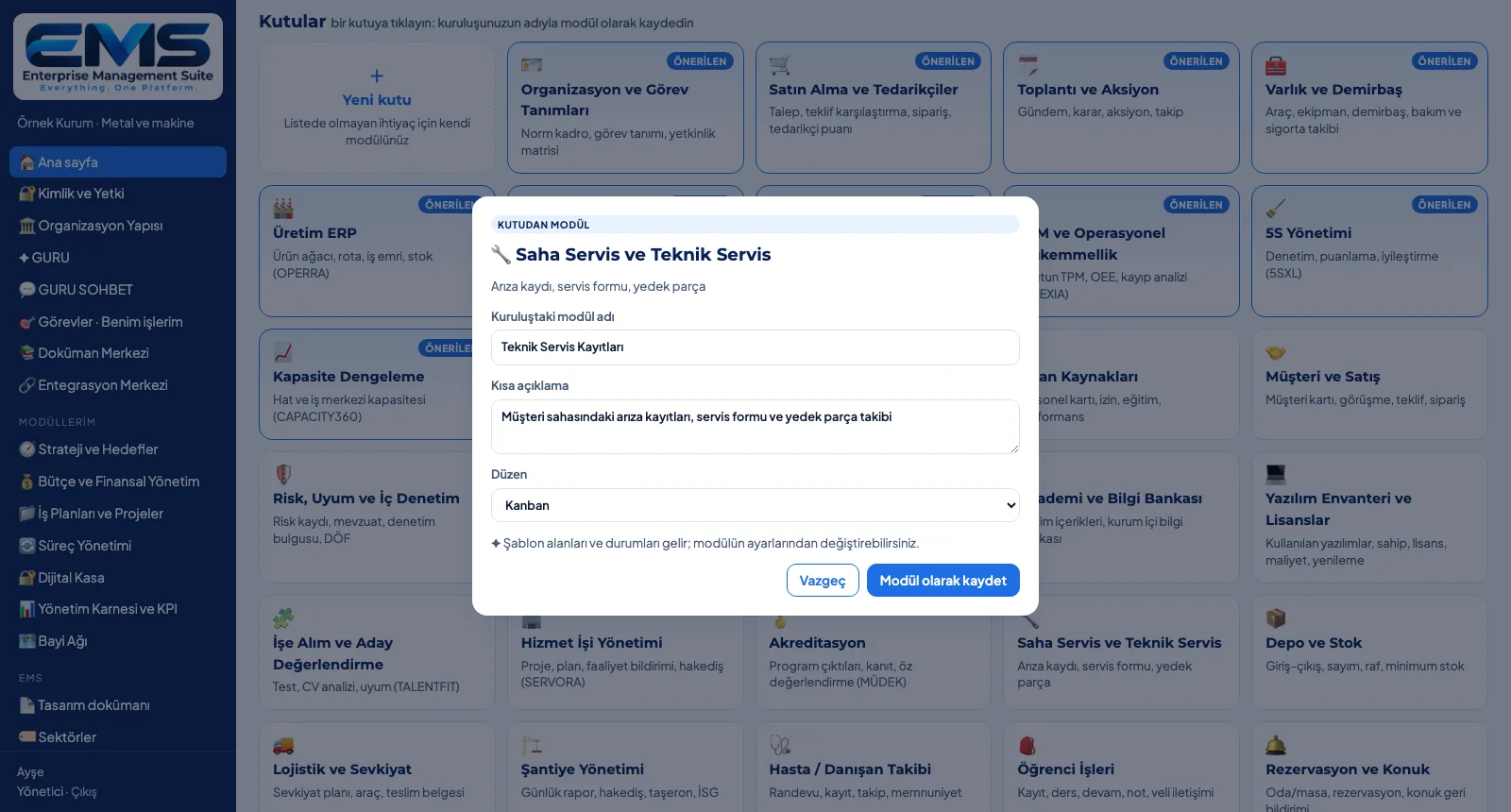
The Field Service box is saved as "Technical Service Records" in the organization, with its own description and a kanban layout.
-
2
Organization-specific box
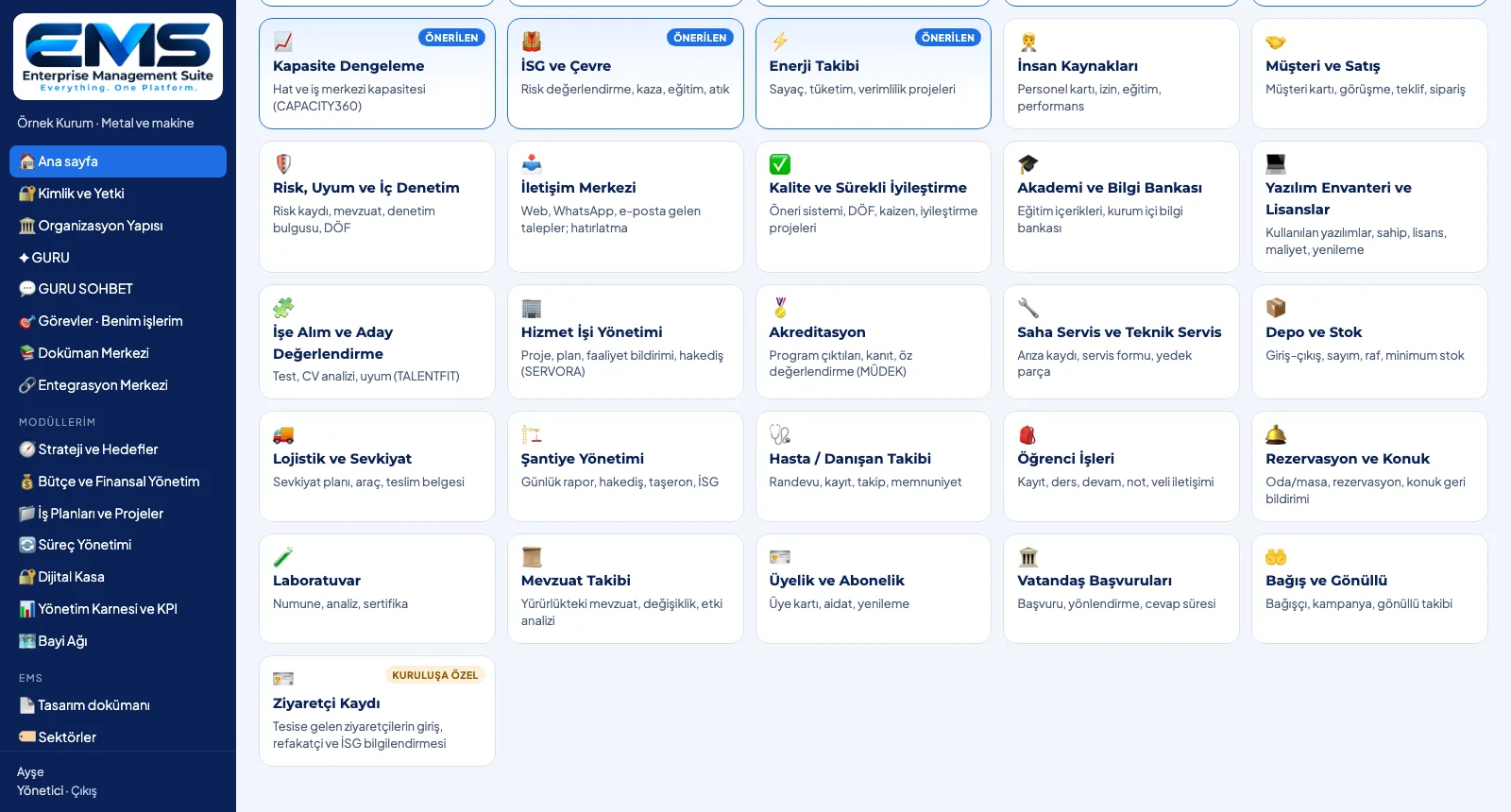
Next to the industry boxes, the library also holds boxes the organization defined itself, e.g. Visitor Log.
-
3
Adapt the module
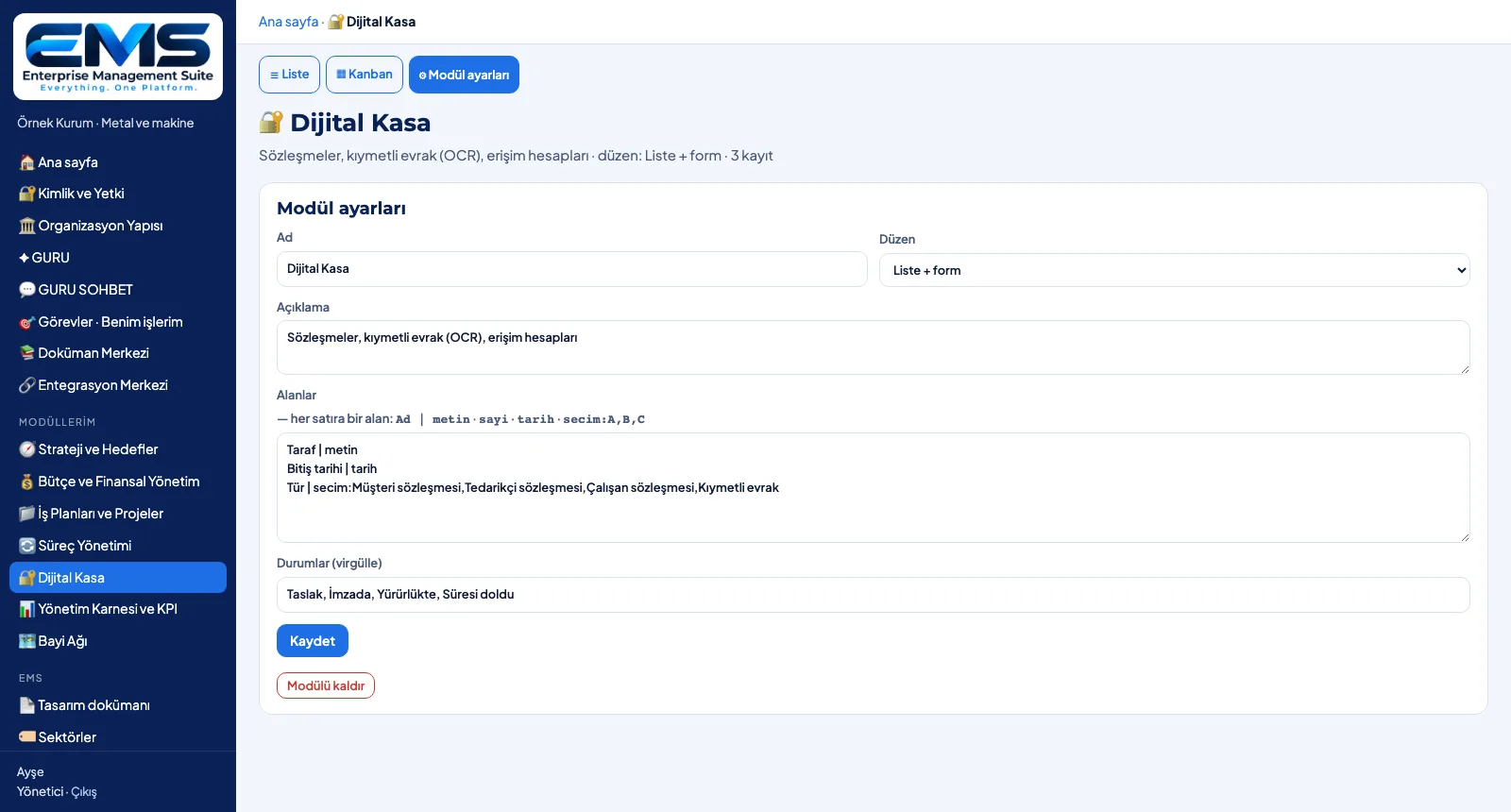
Module settings change the name, description, layout, fields (one field per line) and statuses; the module can be removed.
Screens are shown with sample data; the application interface is in Turkish.
Purpose
To adapt ready-made templates to the organization's own vocabulary and way of working.
Features
- Module from a box: name in your organization, short description, layout
- Layouts: list + form, kanban, calendar, form + approval flow, document library
- Template fields and statuses come with the box (e.g. strategy: perspective, target value, actual)
- New box: icon, name, purpose, fields (text · number · date · choice), statuses; open as a module right away
- Module settings: name, description, layout, fields, statuses; remove the module (the box returns to the library)
Benefits
- Modules carry the organization's own names
- A quick start with templates, adaptation through settings
- Needs that aren't listed get onto the platform too
Who uses it
Process owners, department heads and EMS administrators who adapt the modules to the organization.
All features
See your organization in EMS
Write to us for a live walkthrough on a sample setup for your industry.
Request a demo