Module Records: List and Kanban
Records in every module: title, status, owner, date and the module's own fields — as a list or a kanban.
Every opened module lives on its records. Besides title, status, owner, date and description, the record form holds the module's template fields (text, number, date, choice). The list view shows the fields as columns; the kanban view groups records in status columns and moves a record to another status in one click.
What you gain with EMS
- In the management scorecard, indicators are tracked in green / amber / red status columns.
- A user with read-only access sees the records but cannot change them.
How it works
Add the record, track it in the list, move it on the kanban.
-
1
Track in the list
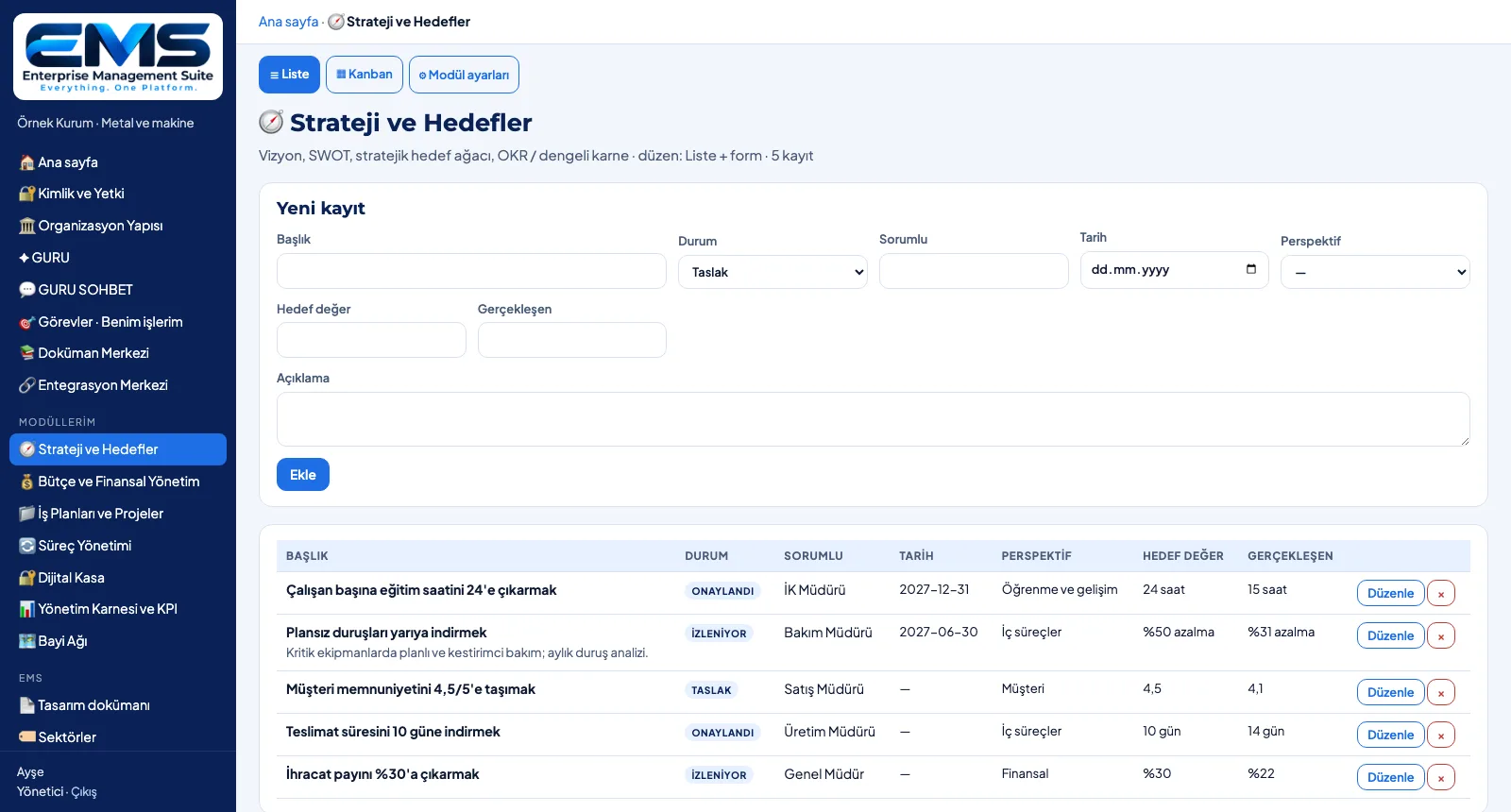
In the Strategy and Objectives module each objective sits on one line with its perspective, target value and actual.
-
2
Update a record
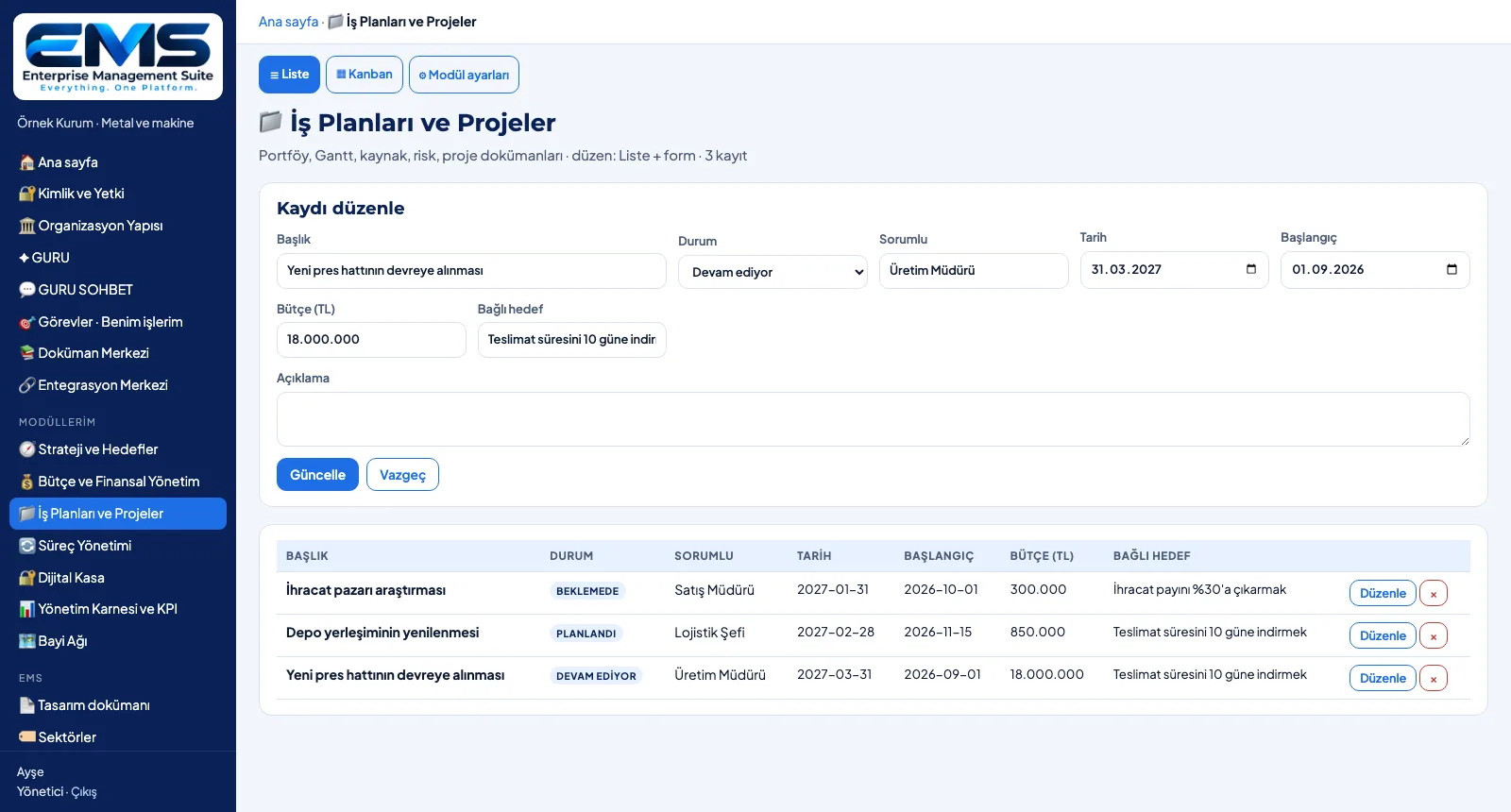
Edit opens the record in the form; in projects, template fields such as start date, budget and linked objective are updated too.
-
3
Move on the kanban
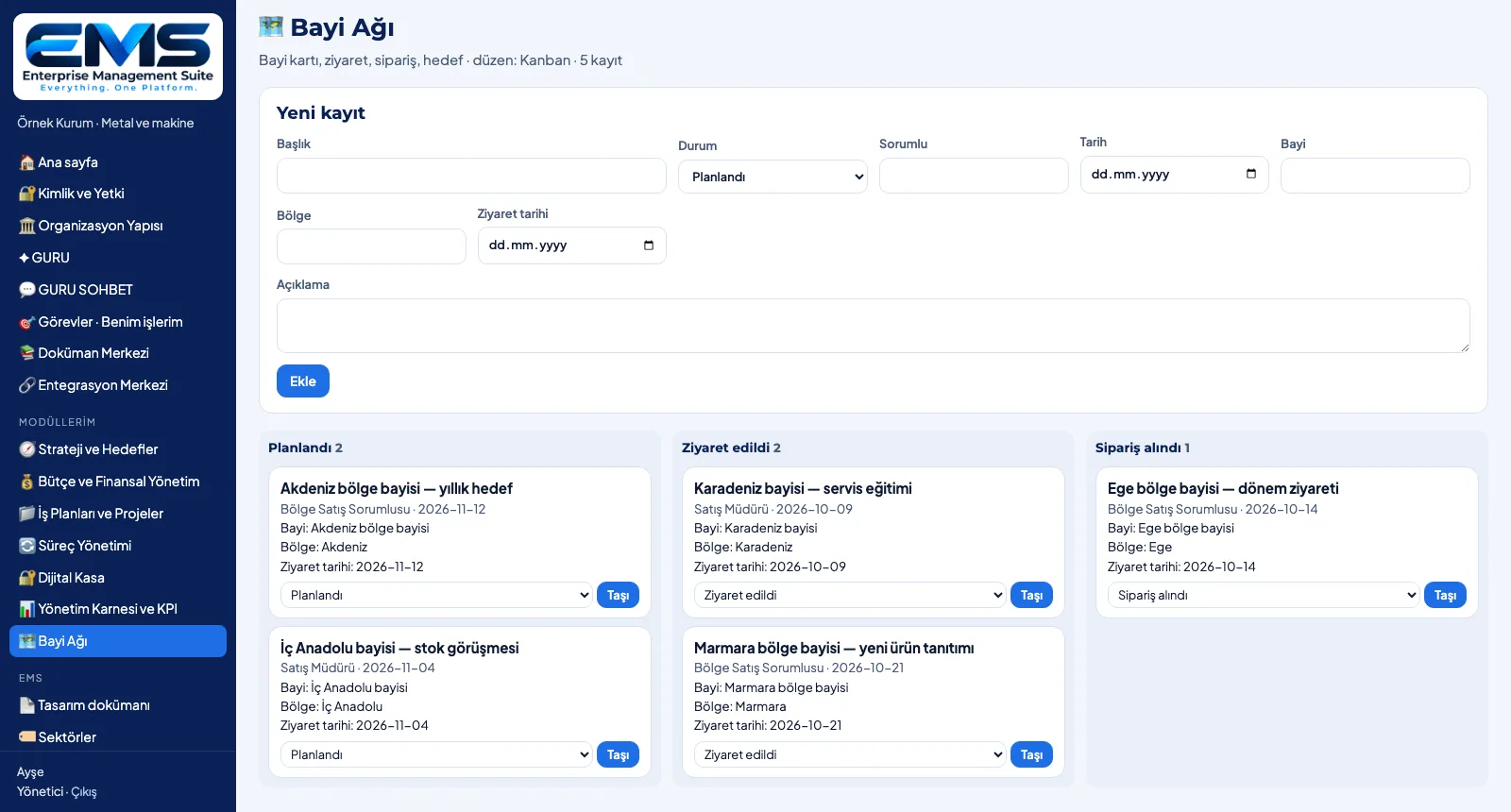
In the Dealer Network module visits sit in Planned, Visited and Order received columns; Move changes the status.
-
4
Watch the indicators
In the Management Scorecard and KPI module, indicators appear with unit, target, actual and period in green / amber / red columns.
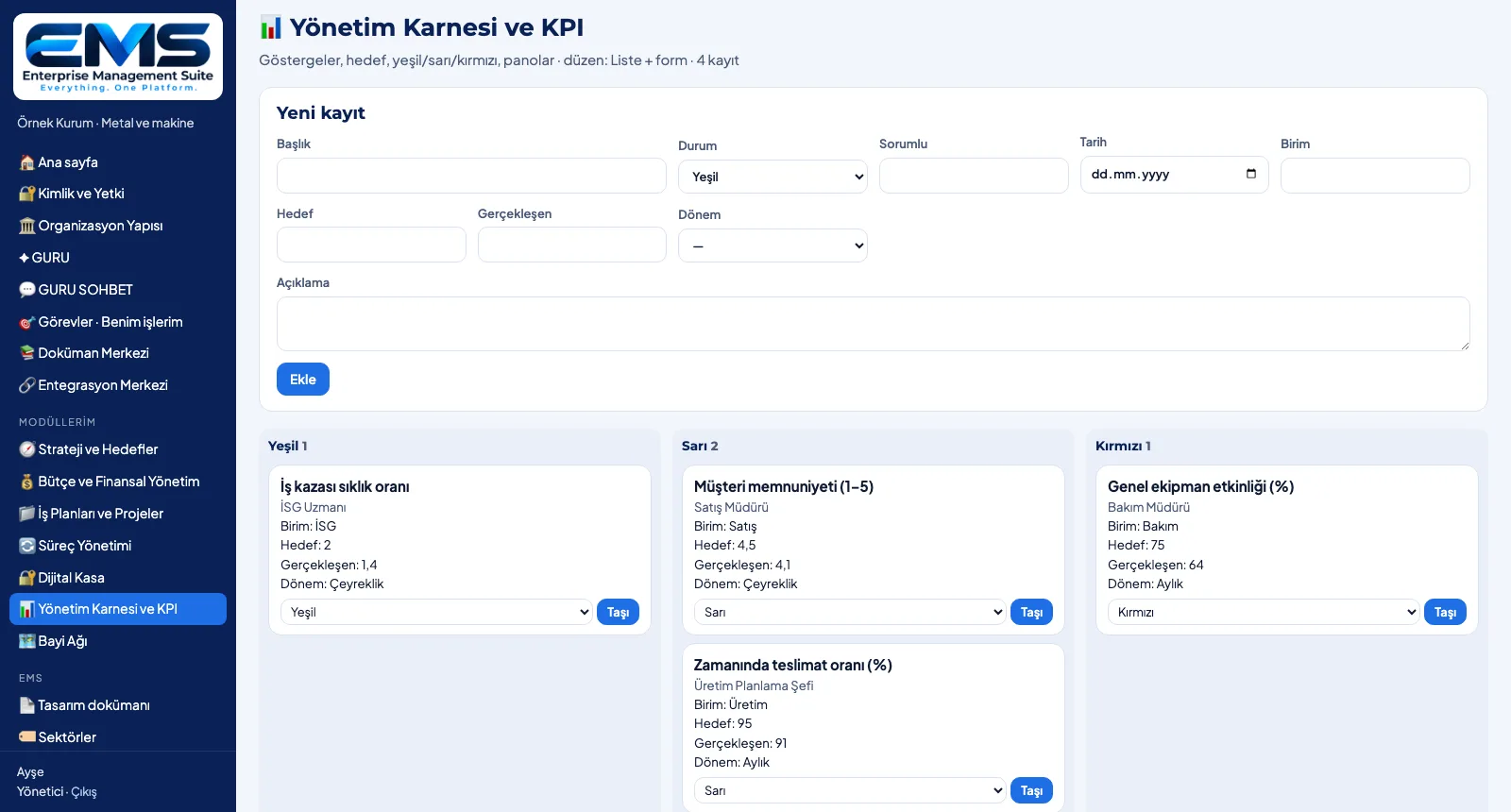
Screens are shown with sample data; the application interface is in Turkish.
Purpose
To keep every management record — from objectives to contracts, from budget lines to dealer visits — in the same order.
Features
- Record form: title, status, owner, date, description + module fields
- Field types: text, number, date, choice list
- List view: fields as columns, edit and delete
- Kanban view: status columns, counts, move a record to another status
- Record count on the module box; kanban-layout modules open in kanban
Benefits
- The same record logic in every module, a short learning curve
- Status at a glance: kanban columns and counts
- Every record has an owner and a date
Who uses it
Department heads, specialists and owners who use the modules every day.
All features
See your organization in EMS
Write to us for a live walkthrough on a sample setup for your industry.
Request a demo