Organizations, Industries and Access
Multi-tenant structure, a manageable industry list, three access levels and a change log.
EMS is multi-tenant: each organization's modules, boxes and records are kept separate; the administrator adds new organizations and switches between them. The EMS administrator maintains the industry list: adds industries, deactivates them and ticks the modules each industry recommends. Sign-in is single sign-on with no separate password; access has three levels.
What you gain with EMS
- When you switch organization, its own modules, boxes and records open.
- Write operations are blocked for read-only access.
How it works
Set up organizations, define industries, follow the changes.
-
1
Manage organizations
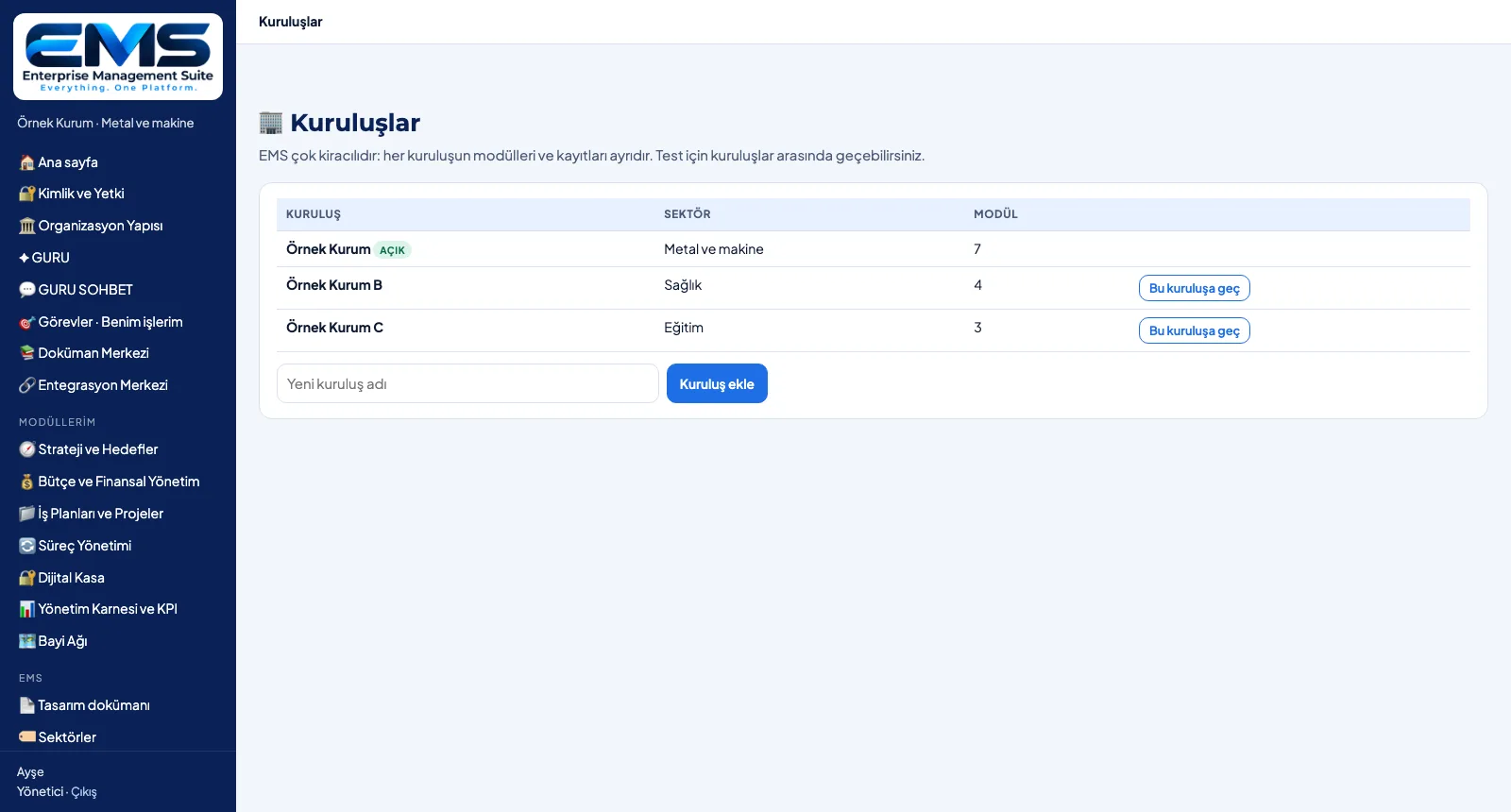
The Organizations page lists each organization with its industry and module count; add a new one or switch to it.
-
2
Define industries
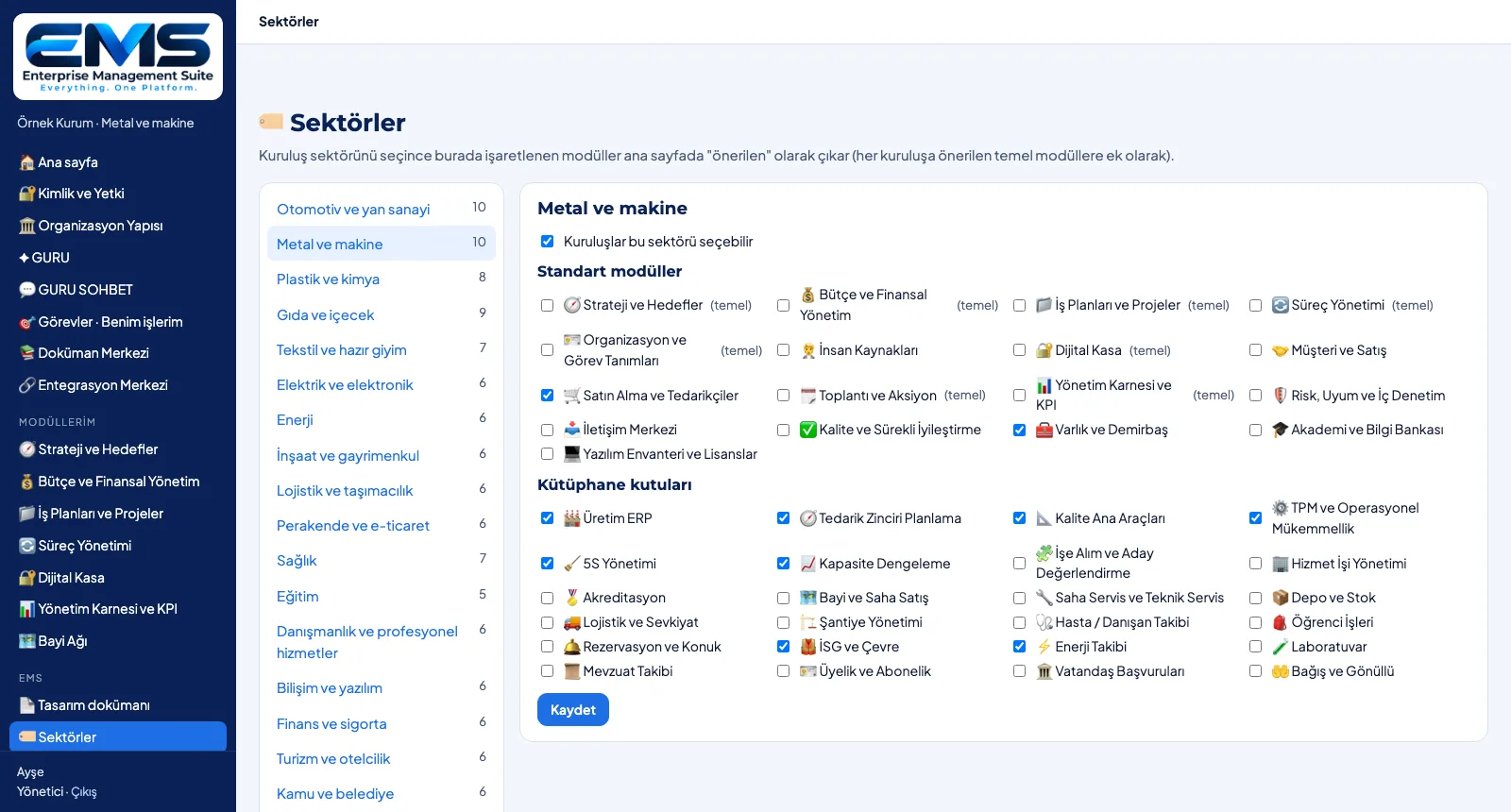
For each industry you tick the recommended standard modules and library boxes; core recommendations are flagged.
-
3
Follow the changes
The Settings page holds the GURU key and the organization's change log: who opened which module or added which box, and when.
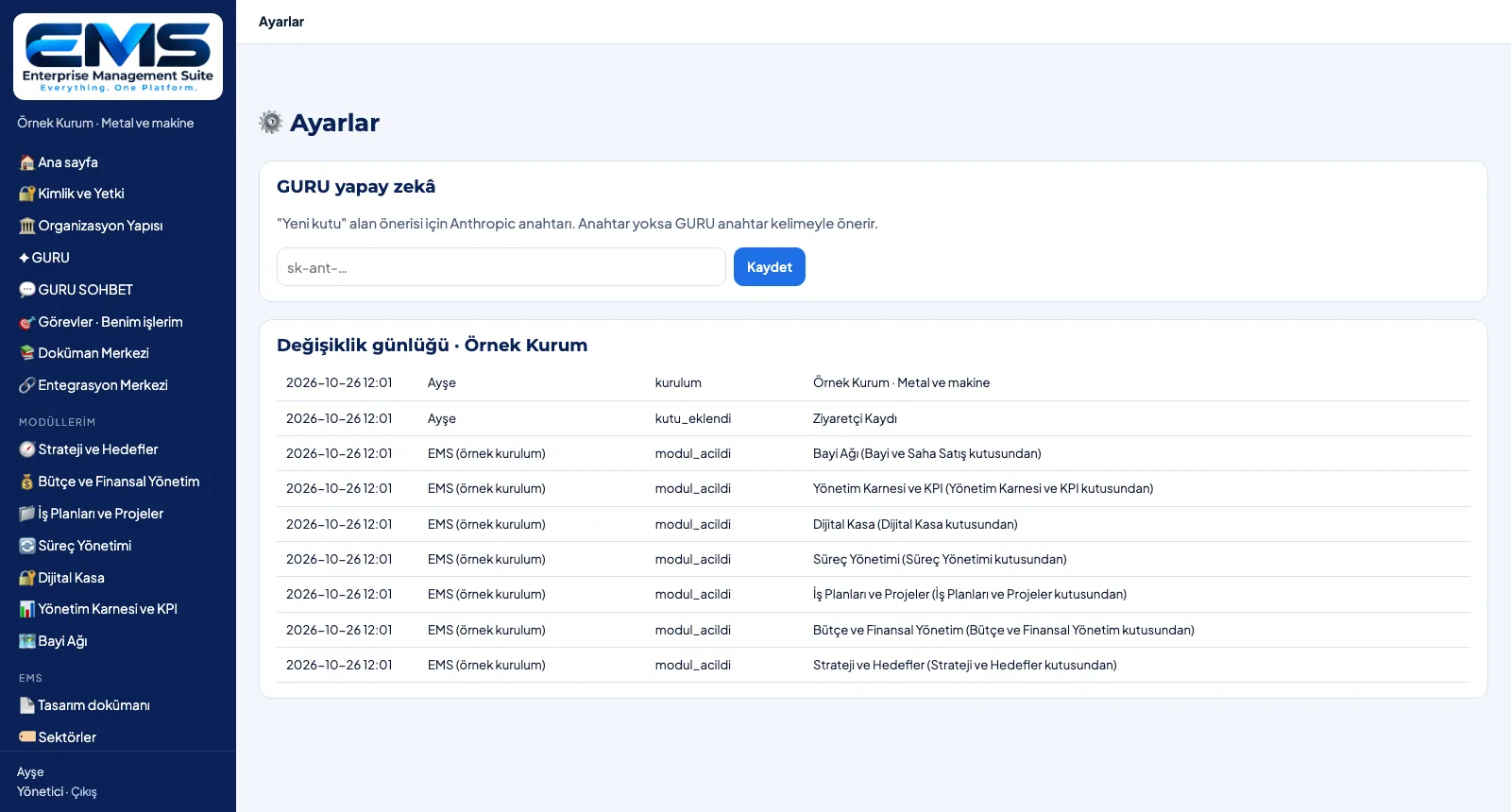
Screens are shown with sample data; the application interface is in Turkish.
Purpose
To manage several organizations on one platform, with data kept apart and clearly defined access.
Features
- Organizations: list, industry, module count; add an organization, switch to it
- Industry management: add, deactivate, choose the recommended standard modules and boxes
- Single sign-on, no separate password; access: view (read-only) · edit · manage
- Change log: setup, opened / removed modules, added boxes — who and when
- Settings: the GURU AI key is managed by the administrator only
Benefits
- Group companies and units as separate organizations
- Recommendations follow your own industry definitions
- Who changed what, in the log
Who uses it
EMS administrators, IT and digital transformation teams, head-office teams running group companies.
All features
See your organization in EMS
Write to us for a live walkthrough on a sample setup for your industry.
Request a demo