All of your organization's management tools,
on one platform
EMS recommends modules for your industry and lets you open standard modules — strategy, budget, business plans, processes, Digital Vault, management scorecard and more — and industry-specific boxes under your own names. For needs that aren't listed you define a new box; GURU guides you through the setup.
Don't let management scatter across unconnected files and software
EMS brings the organization's management areas onto one platform: strategy, budget, projects, processes, contracts and indicators as modules with the same structure and the same sign-in; every organization starts from its own industry.
- Many unconnected applications, each with its own user and password.
- Strategy, budget, business plan, processes and job descriptions in separate files and from different years.
- Instructions in messaging apps, tracking in spreadsheets, approvals in e-mail, signed documents in a cabinet.
- Contracts and valuable documents in different places; access disappears when an employee leaves.
Six capabilities, one platform
EMS capabilities follow the natural order of a setup: set up the organization, choose the modules, adapt the boxes, manage the records, govern organizations and access, consult GURU.
Organization and Industry Setup
Choose your organization and industry — EMS marks the modules that fit you.
Explore ChooseModule Catalog
7 core modules, 17 standard modules and 24 library boxes in one catalog.
Explore AdaptFrom Box to Your Own Module
Pick a box and save it as a module under your own name; if it isn't listed, create a new box.
Explore TrackModule Records: List and Kanban
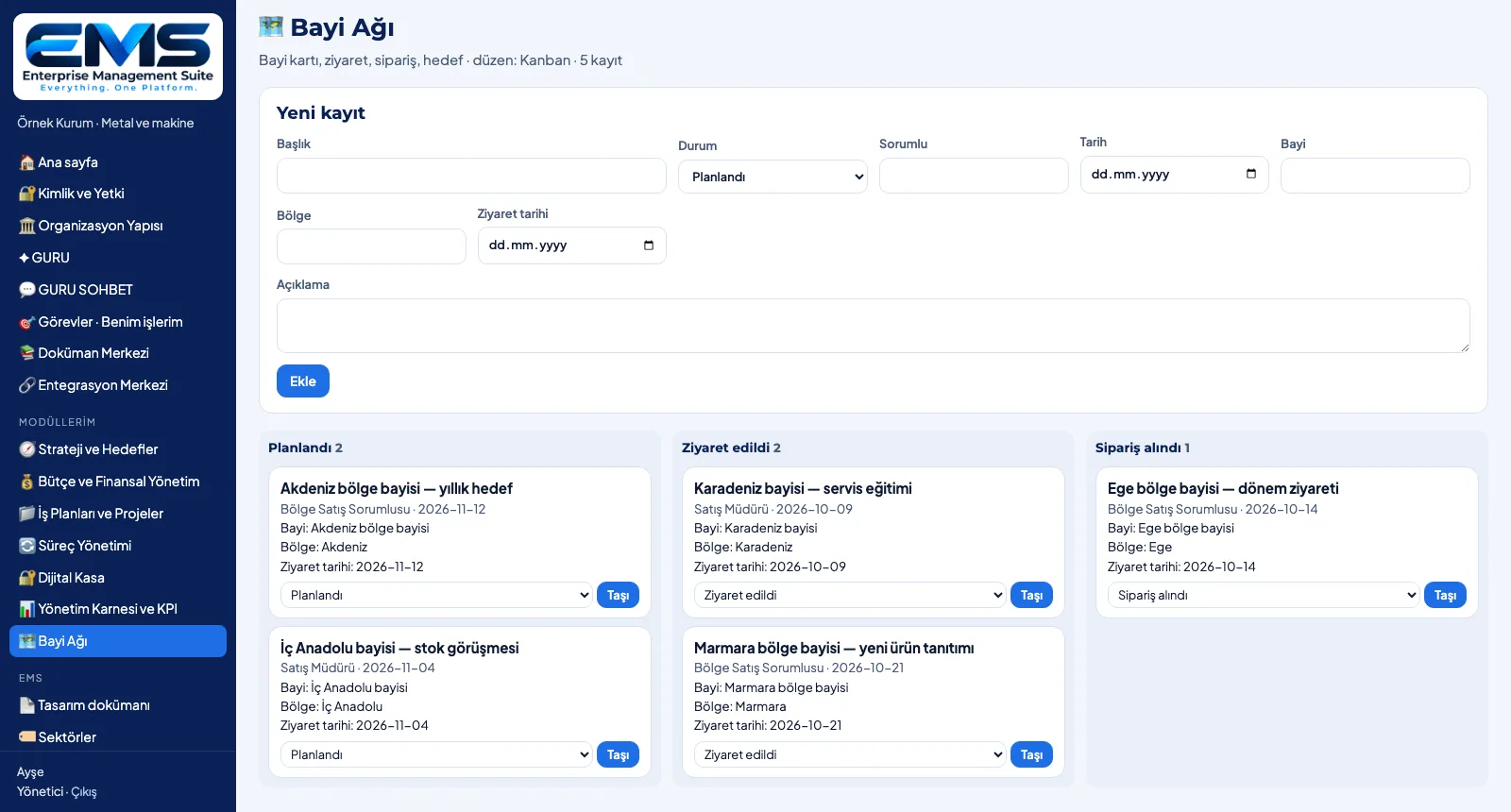
Records in every module: title, status, owner, date and the module's own fields — as a list or a kanban.
Explore GovernOrganizations, Industries and Access
Multi-tenant structure, a manageable industry list, three access levels and a change log.
Explore ConsultGURU AI
GURU guides the setup and suggests the fields of a new box — the decision stays with you.
ExploreA tour of the screens
Pick a capability and click the steps; click an image to enlarge it.
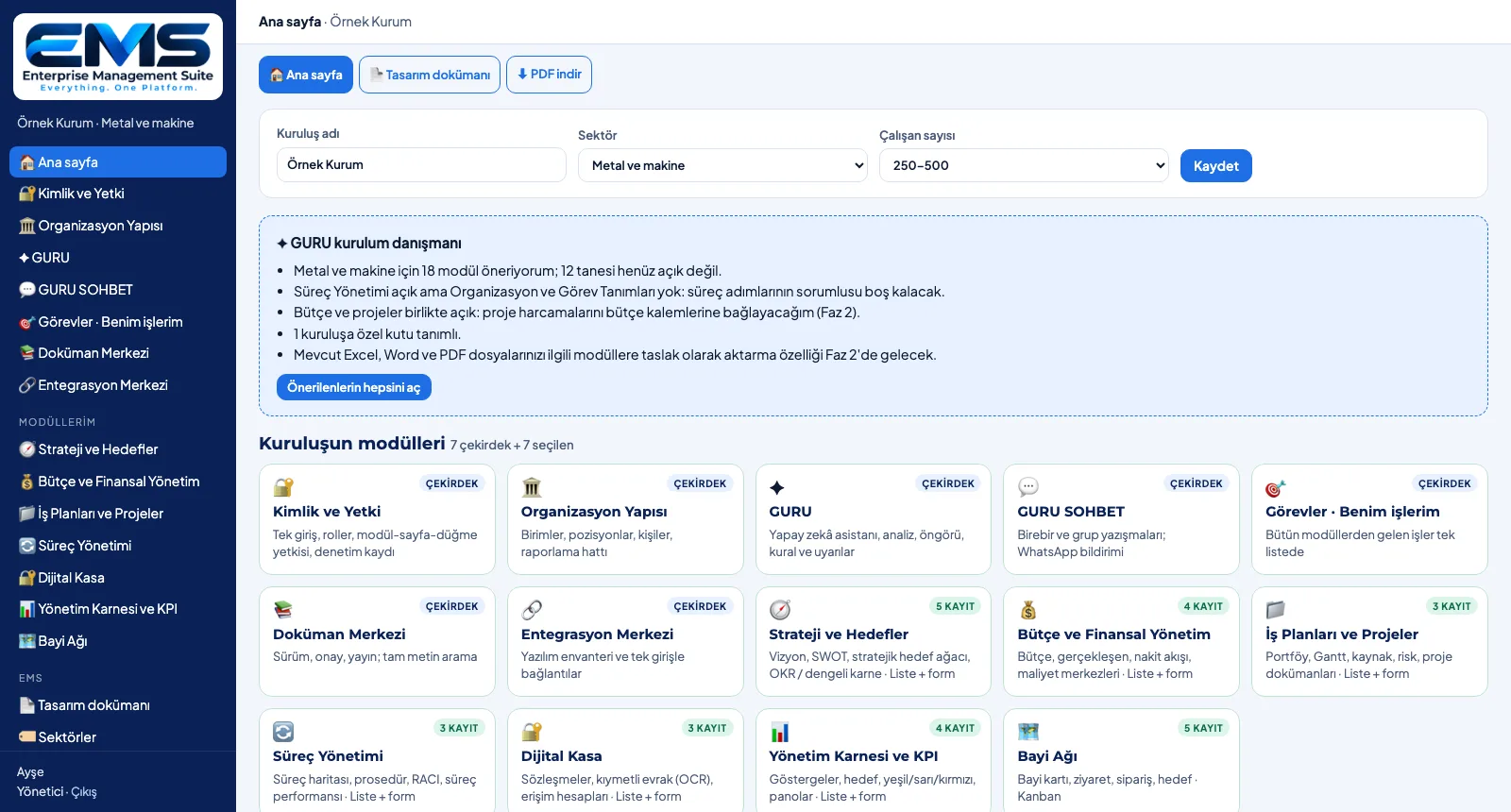
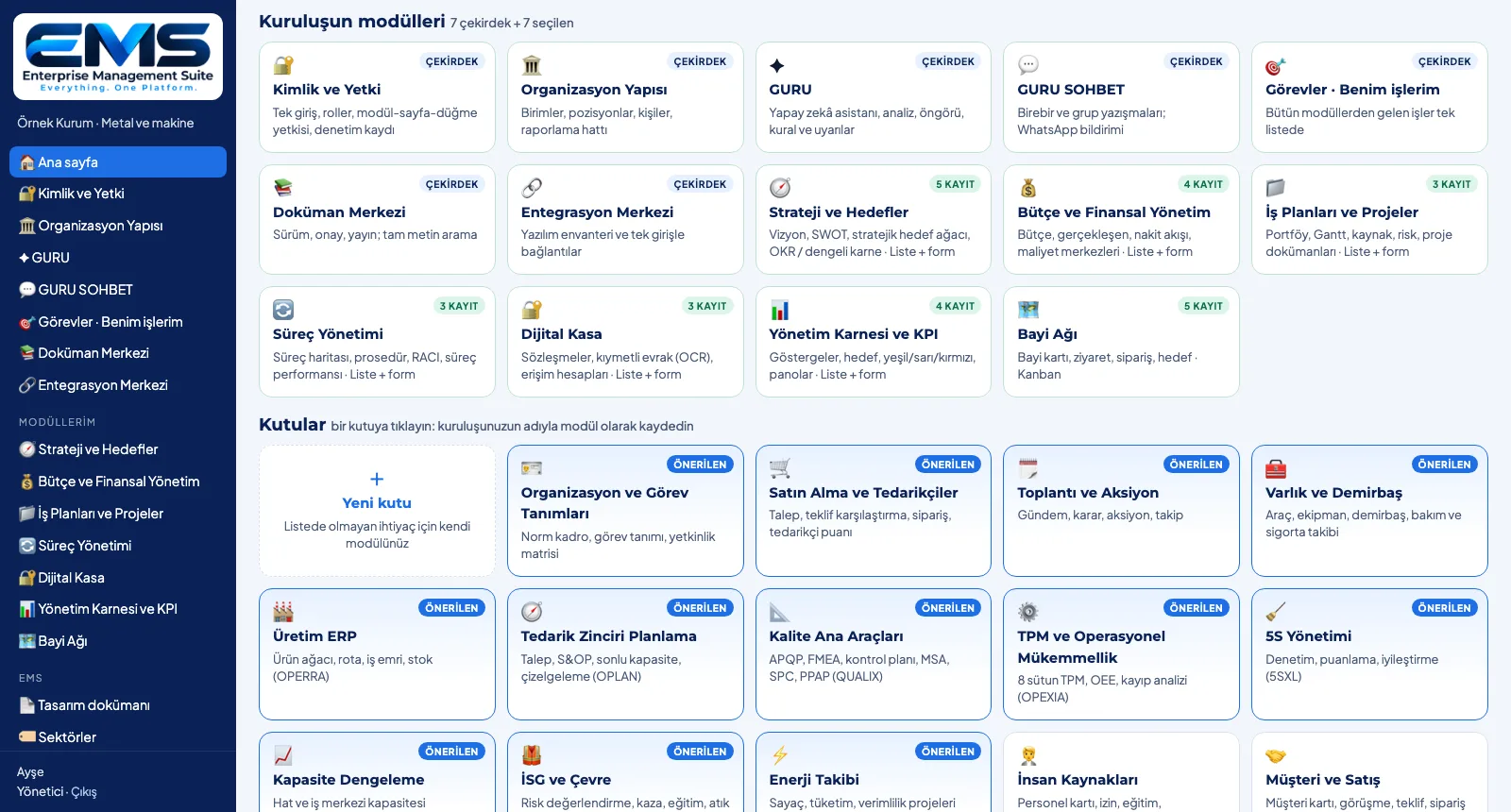
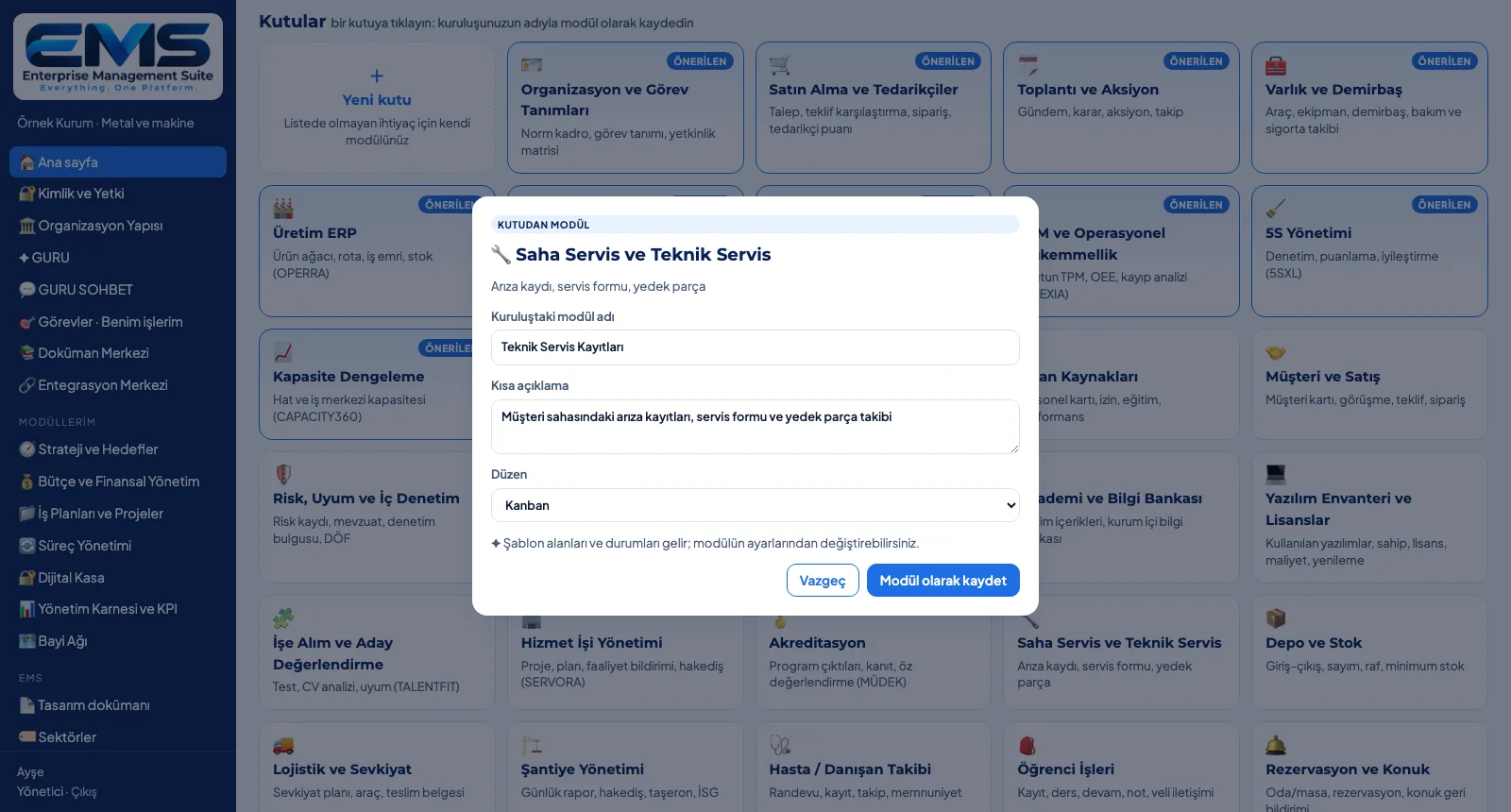
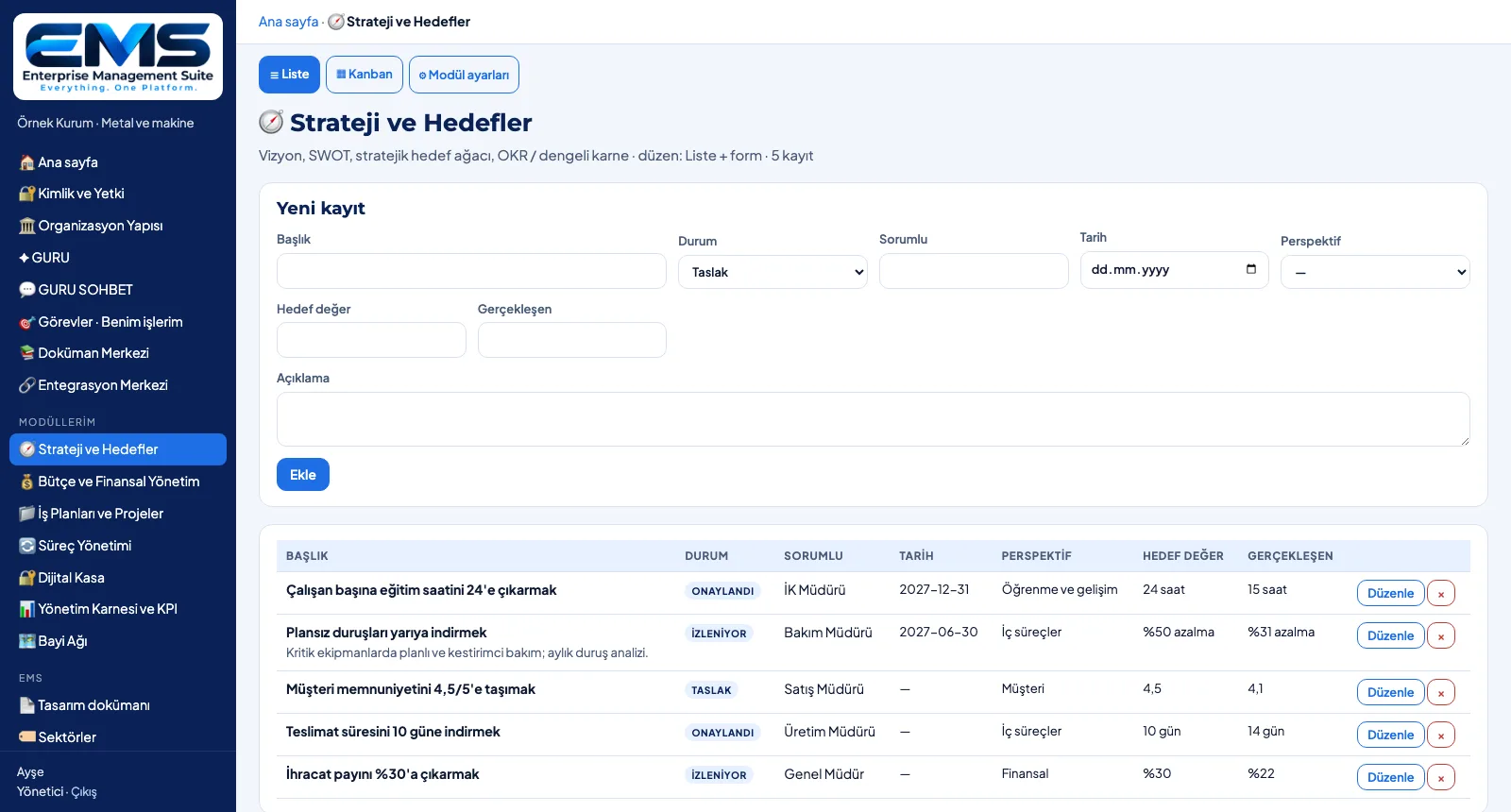
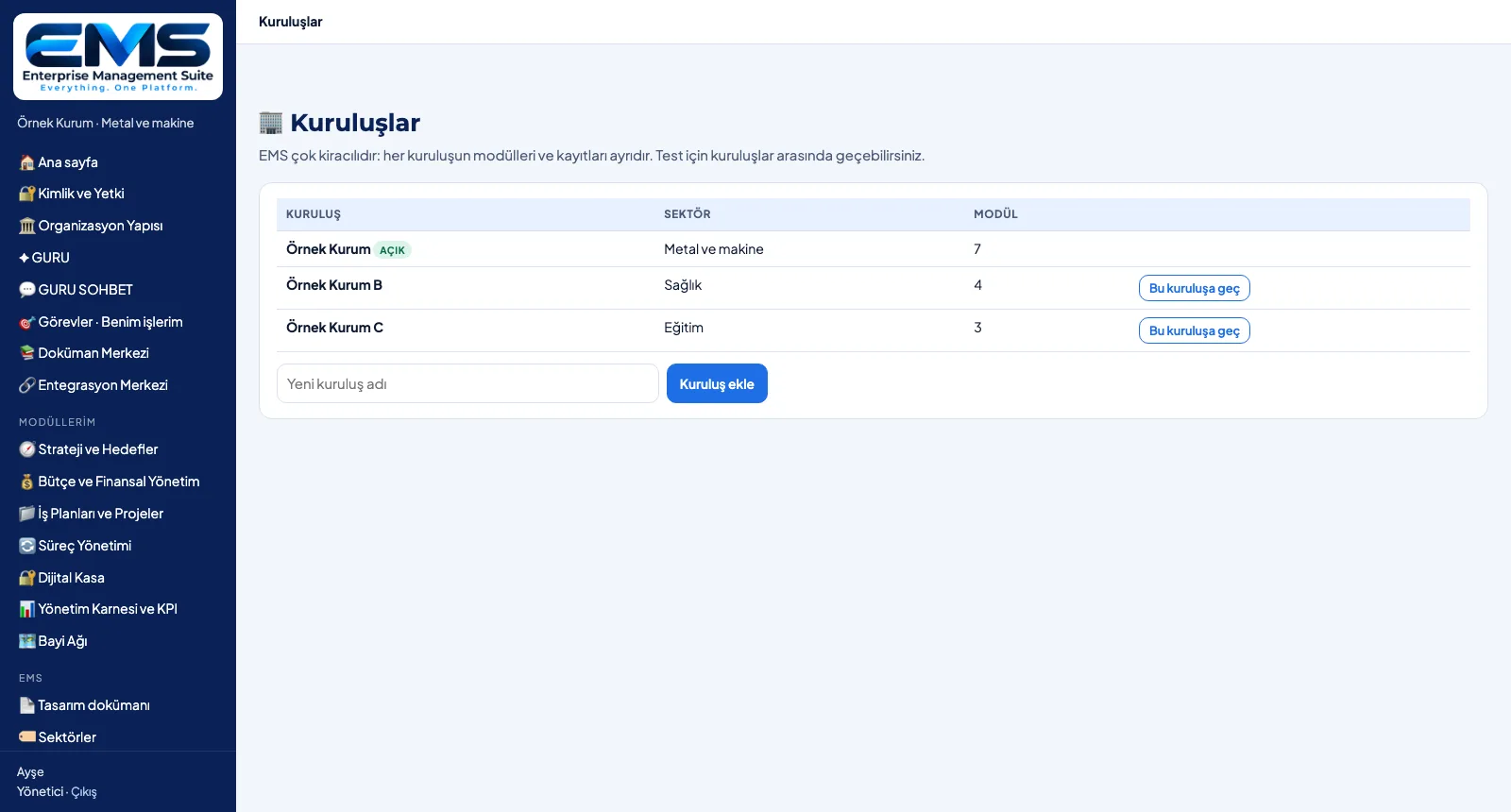
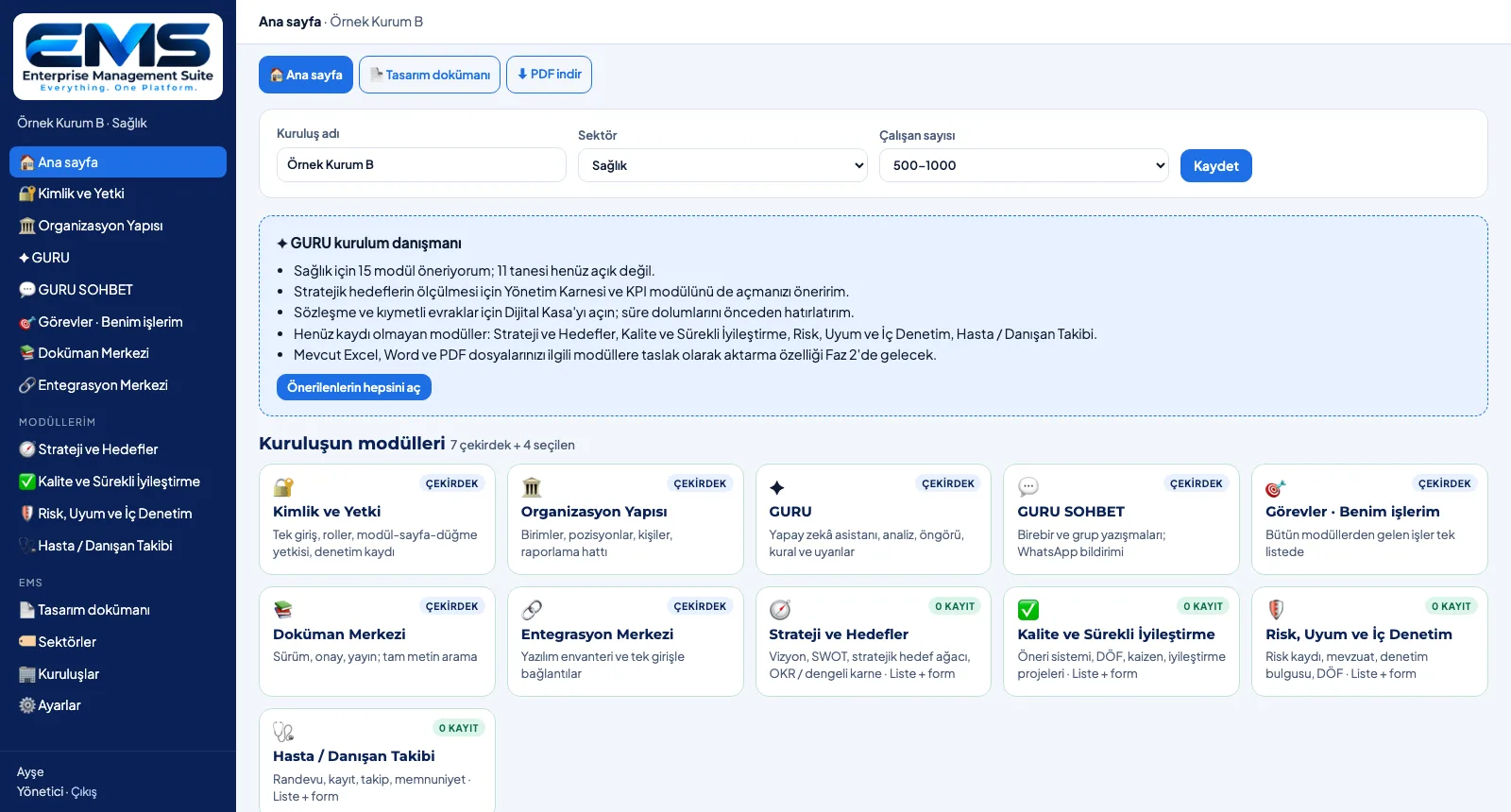
Screens are shown with sample data; the application interface is in Turkish.
What it brings your organization
A start that fits your industry
Choose one of 19 industries; its recommended modules and 8 core recommendations are marked as recommended.
One platform, many modules
7 core modules, 17 standard modules and 24 library boxes on the same platform, with the same sign-in.
Modules under your own names
A module opened from a box takes your organization's name, description and layout; template fields come ready.
Not listed? A new box
An organization-specific box: fields (text, number, date, choice), statuses and layout; opened as a module if you wish.
List and kanban
The same record logic in every module: title, status, owner, date; records in a list or in status columns.
GURU setup advisor
Shows unopened recommendations, missing links and modules without records; suggests fields for new boxes.
Multi-tenant, role-based
Each organization's data is kept apart; single sign-on access with view · edit · manage rights.
A documented setup
Opened modules and added boxes go into the log; the design document downloads as a PDF with the organization annex.
The same core from factory to hospital, from school to city hall
Manufacturing
Automotive and suppliers, metal and machinery, plastics and chemicals, food and beverage, textiles, electrical and electronics.
Services and public sector
Healthcare, education, consulting and professional services, IT, finance and insurance, tourism, public sector, NGOs and foundations.
Trade, logistics and infrastructure
Retail and e-commerce, logistics and transport, construction and real estate, energy, agriculture and livestock.
- General managers and boards
- Strategy, corporate development and quality managers
- IT and digital transformation teams
- Department heads and process owners
One platform, the license that fits you
Every capability in every license. Choose your license model and we will prepare a quote for your users and module scope.
Frequently asked questions
What is EMS?+
What works in EMS today?+
How are modules recommended for our industry?+
What is the difference between core modules, standard modules and boxes?+
What if our need isn't listed?+
See your organization in EMS
Write to us for a live walkthrough on a sample setup for your industry.