
GURU AI
GURU guides the setup and suggests the fields of a new box — the decision stays with you.
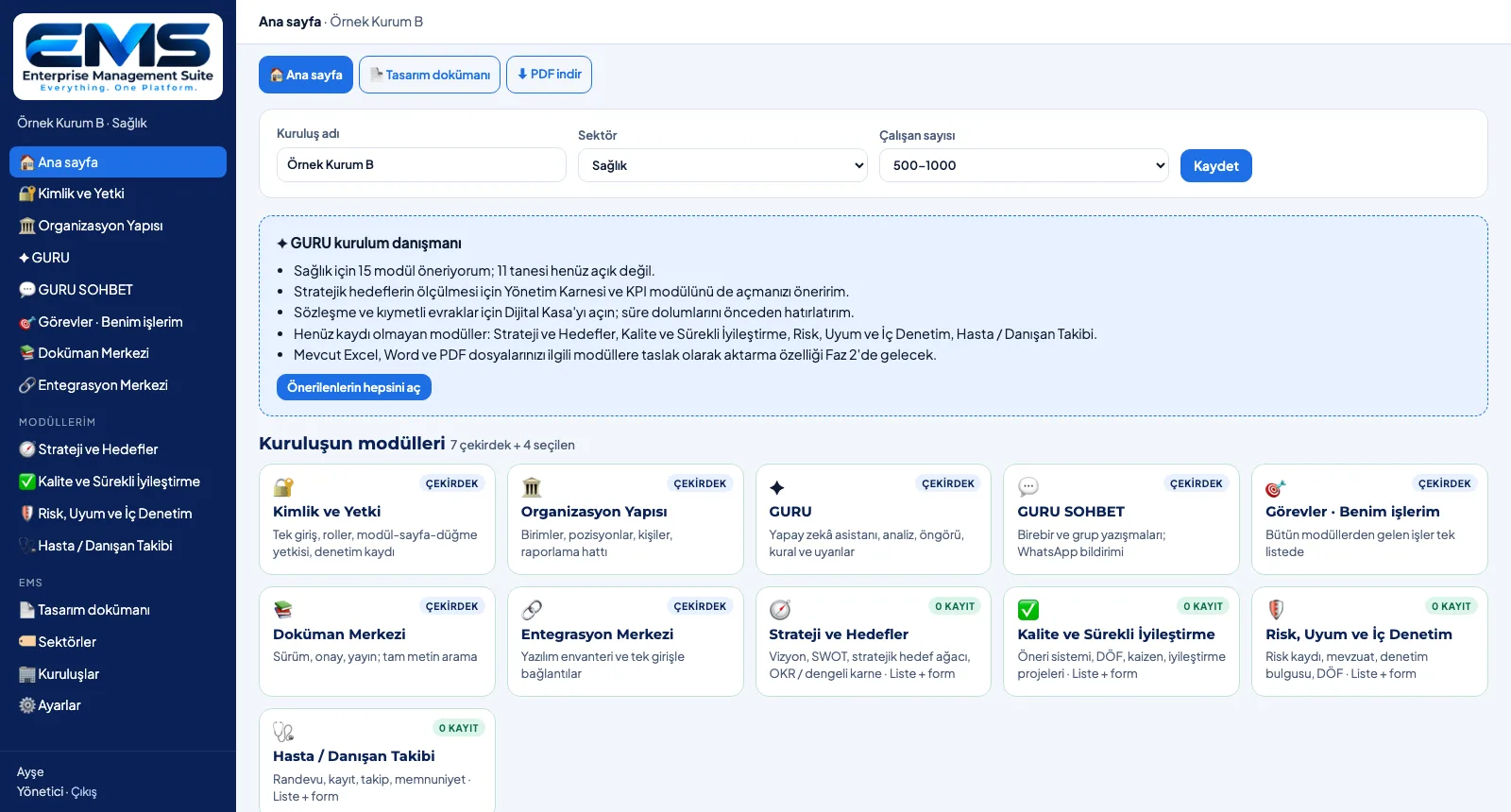
GURU is the AI layer of EMS. The setup advisor looks at the chosen industry and the open modules and points things out: how many modules were recommended and not yet opened, missing links (e.g. processes are open but job descriptions are not), modules that have no records yet. When a new box is created, GURU suggests fields and statuses from its description; the suggestion only fills in the form — saving is the user's decision.
What you gain with EMS
- The advisor reads the current setup every time the home page opens.
- Suggested fields arrive as editable "Name | type" lines.
How it works
Read the advisor, get a field suggestion, make the call.
-
1
Read the advisor
In a sample healthcare setup, GURU reports that 11 of the 15 recommended modules are not yet open and lists modules with no records.
-
2
Get a field suggestion
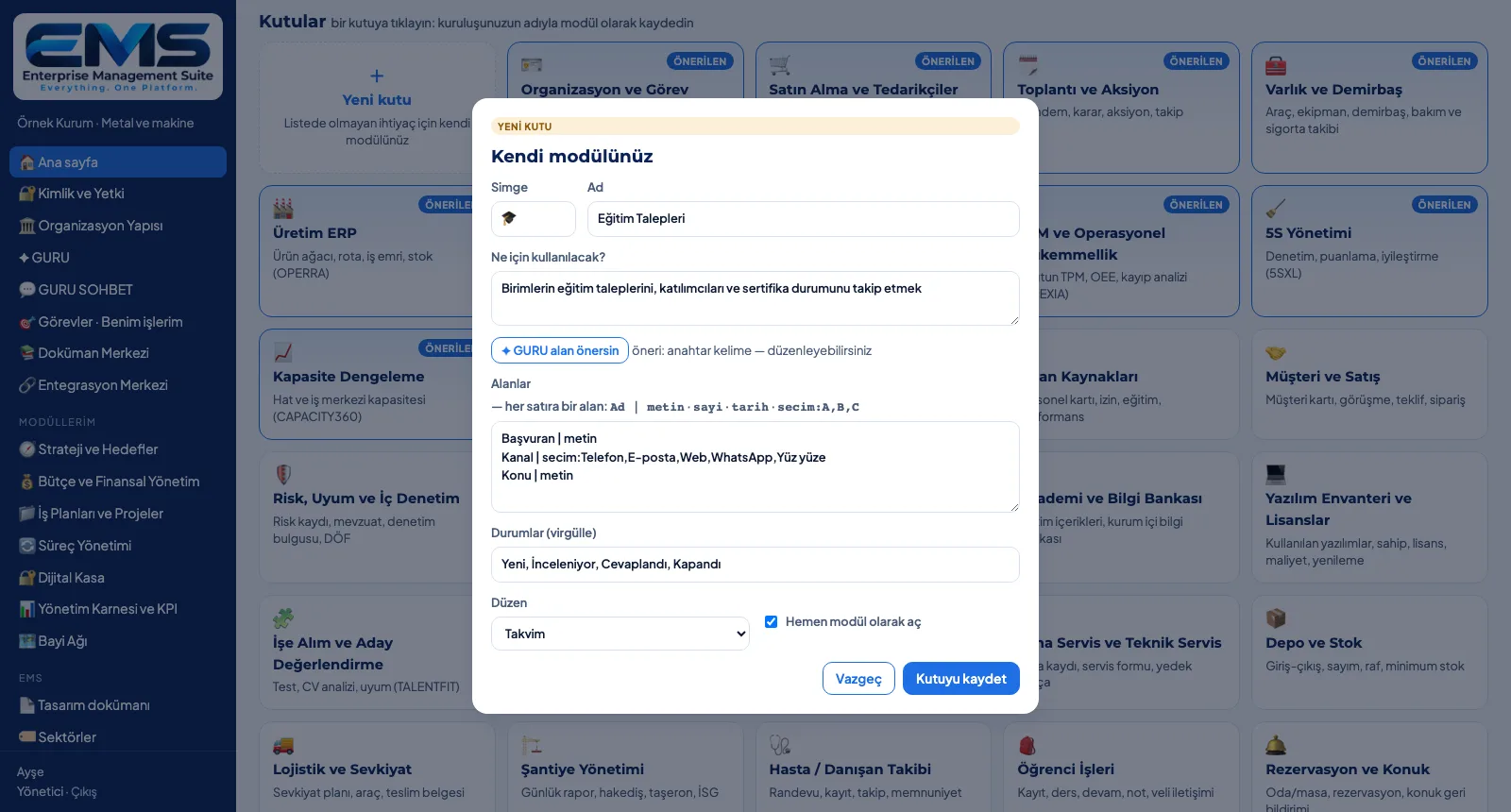
Enter a name and purpose for the new box and click GURU, suggest fields: fields and statuses fill the form, with the source alongside.
Screens are shown with sample data; the application interface is in Turkish.
Purpose
Not to leave the setup on its own: point out gaps and speed up the design of new modules.
Features
- Setup advisor: recommended / unopened module counts, missing links, modules without records
- The advisor is rule-based and works without an AI key
- Field suggestion: 3–6 fields and 3–5 statuses from the new box's name and purpose
- With Claude when an AI key is set, otherwise by keyword matching; the source is shown in the form
- Human approval: the suggestion fills the form, saving is the user's call
Benefits
- Missing modules and links become visible during setup
- A new module's form is ready in minutes
- AI suggests, people decide
Who uses it
EMS administrators running the setup, process owners and teams designing new modules.
All features
See your organization in EMS
Write to us for a live walkthrough on a sample setup for your industry.
Request a demo